 PanemForge
Finance line: Bookkeeping Kit →
PanemForge
Finance line: Bookkeeping Kit →
PanemForge
Finance line: Bookkeeping Kit →
PanemForge
Finance line: Bookkeeping Kit →
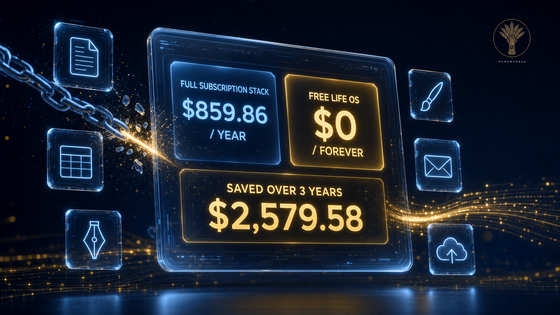
The average freelancer's subscription stack — Microsoft 365, Adobe Creative Cloud, and a storage/notes tier — costs $859.86 a year, and the day you stop paying, it all stops working. The Subscription-Free Life OS replaces all of it with tools you own. $49, once. $0, forever after.
3 kits · 12 PDF guides · 14-day refund · prices verified October 2026
The bill is real. The math is verified.
Each kit is a complete switch: the guide, the playbook, the compatibility table, and an AI prompt pack. Every install link is the tool's one official source — the gold tickets inside each guide.
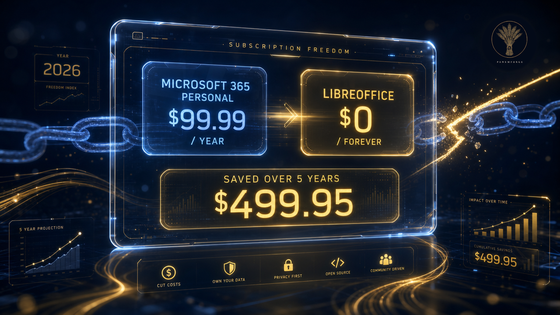
The switch guide, the migration playbook, the compatibility cheat sheet, and the AI prompt pack. Documents, spreadsheets, and presentations — with the honest money math and the 90% Rule that keeps switching sane.
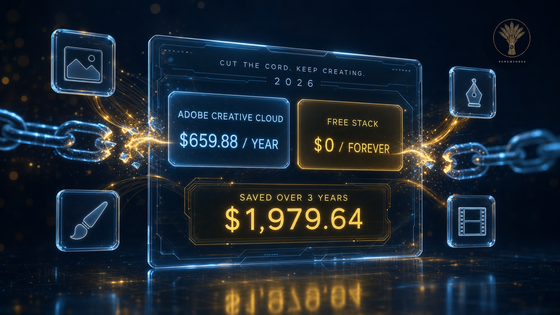
GIMP, Inkscape, Krita, and DaVinci Resolve — the switch guide, four guided first projects, the compatibility cheat sheet with the real CMYK and plug-in limits, and the AI prompt pack.
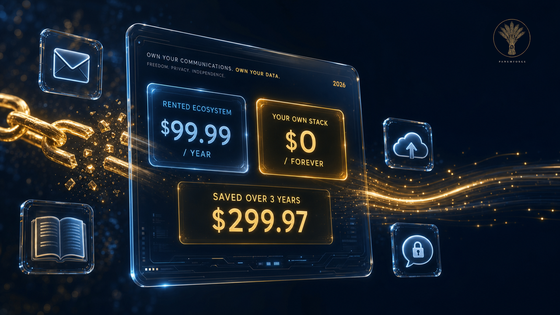
Thunderbird, Nextcloud, Joplin, and Signal replace Outlook, OneDrive, OneNote, and WhatsApp — two honest paths (self-host or free tiers), the everyday playbook, the migration table, and the AI prompt pack.
All three kits in one purchase: 12 textbook-grade PDF guides + 3 plain-text AI prompt packs. Every guide installs its tools from the one official source; every kit's honesty table is printed in full.
Get the complete bundleThe stack it replaces costs $859.86 a year. The bundle costs $49 once — it pays for itself in under three weeks, then belongs to you. 14-day refund, no forms.
The honesty is the product. Every kit carries a table of what free tools genuinely can't do — here's the short version.
Staying on the subscription is a fair choice. Our guides say so, in print — check the exceptions in five minutes before you switch anything.
All three Cut-the-Cord kits — 12 PDF guides covering office, creative, and communications software — plus the plain-text AI prompt packs. Buying the kits separately costs $57; the bundle is $49, once. No subscription, ever.
No — the software is free at each project's official site and always has been. This is the expertise: the guides, guided projects, migration tables, and prompts that make switching take an afternoon instead of a month of trial and error per program.
For the 90% of work most people actually do — documents, invoices, photo edits, logos, YouTube cuts, email, notes — yes, cleanly. Each kit's honesty table lists the exceptions honestly. Check in five minutes before you switch anything.
Any capable AI chat — ChatGPT, Claude, Gemini, Copilot, or a local model on your own machine. The prompts are plain text; paste and go.
Reply to your purchase email within 14 days of the day you bought it and you get a refund. No forms, no hoops.